Accessibility
Audit
My role
UI UX Design
Timeline
20th Oct 2023 - 23rd Oct 2023
Tools used
Figma
WAVE Evaluation Tool

Goal
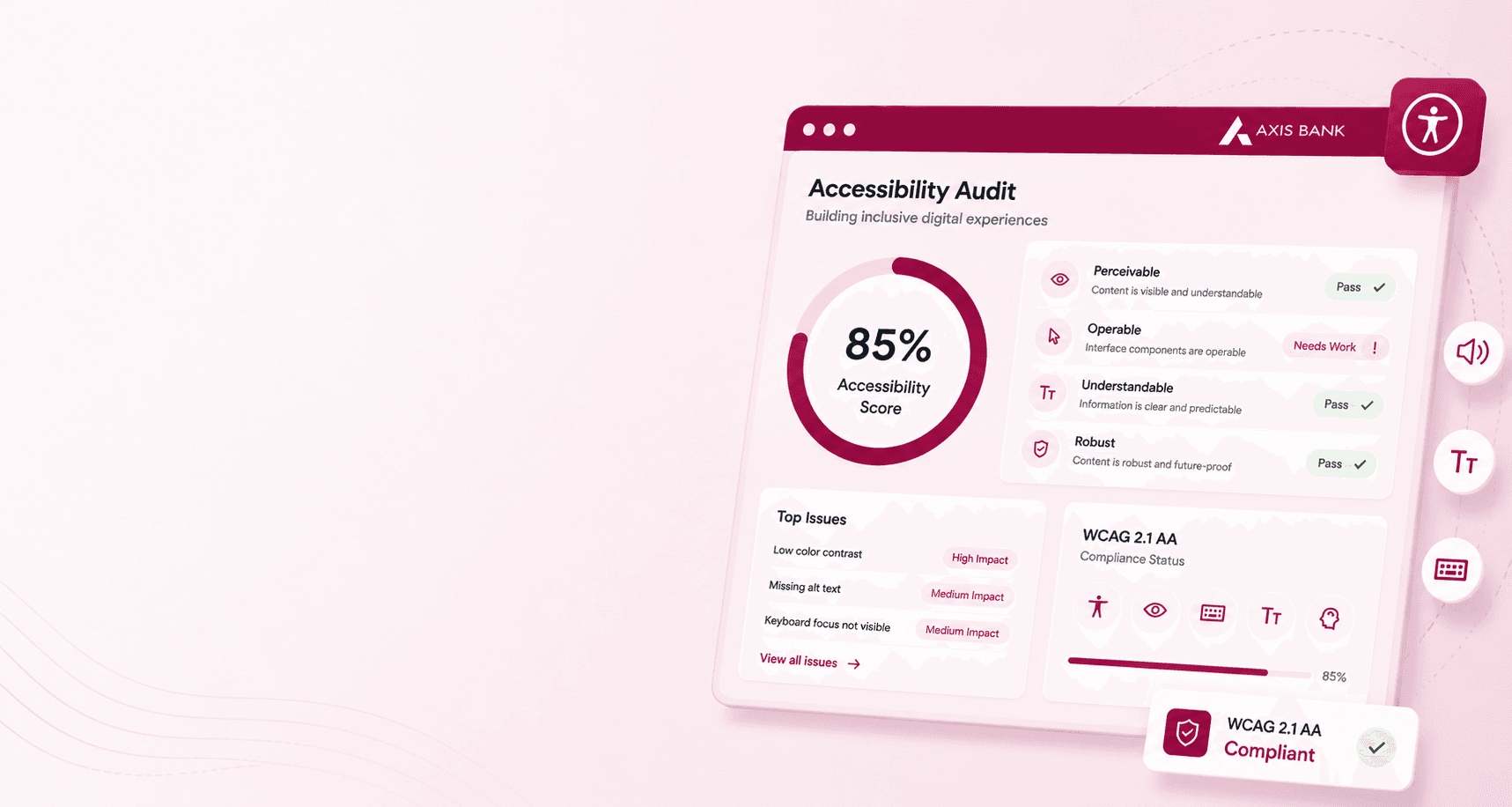
The objective is to conduct an accessibility audit and create guidelines that promote an inclusive digital experience for all users."
Establishing accessibility guidelines ensures that people with disabilities can access and use the website without barriers.
Leverage accessibility improvements to enhance search engine optimization (SEO) and online visibility.
Enable individuals with disabilities to access and manage their accounts, banking information, and finances effectively.
Promotes inclusivity and guarantees that individuals with disabilities are neither excluded nor disadvantaged in the digital space.
By addressing the needs of individuals with disabilities, a website can reach an often underserved market segment.

Skip to main content
A skip link is one of the best practises that allows users to skip over navigation or other content, which improves the accessibility of the website.

Alternate text
Alternate text is well implemented in the website for an image that is within a link, as it improves the accessibility of the website.

Image alternate
An image alternate provides a way for screen reader users to easily understand the image and the image data.
ARAI Hidden
As the content is hidden within ARAI it hampers the accessibility of the website
Use ARIA attributes for complex controls
Adding ARIA to HTML can make your page more accessible to screen readers. It will give the reader extra information about the content they are currently reading

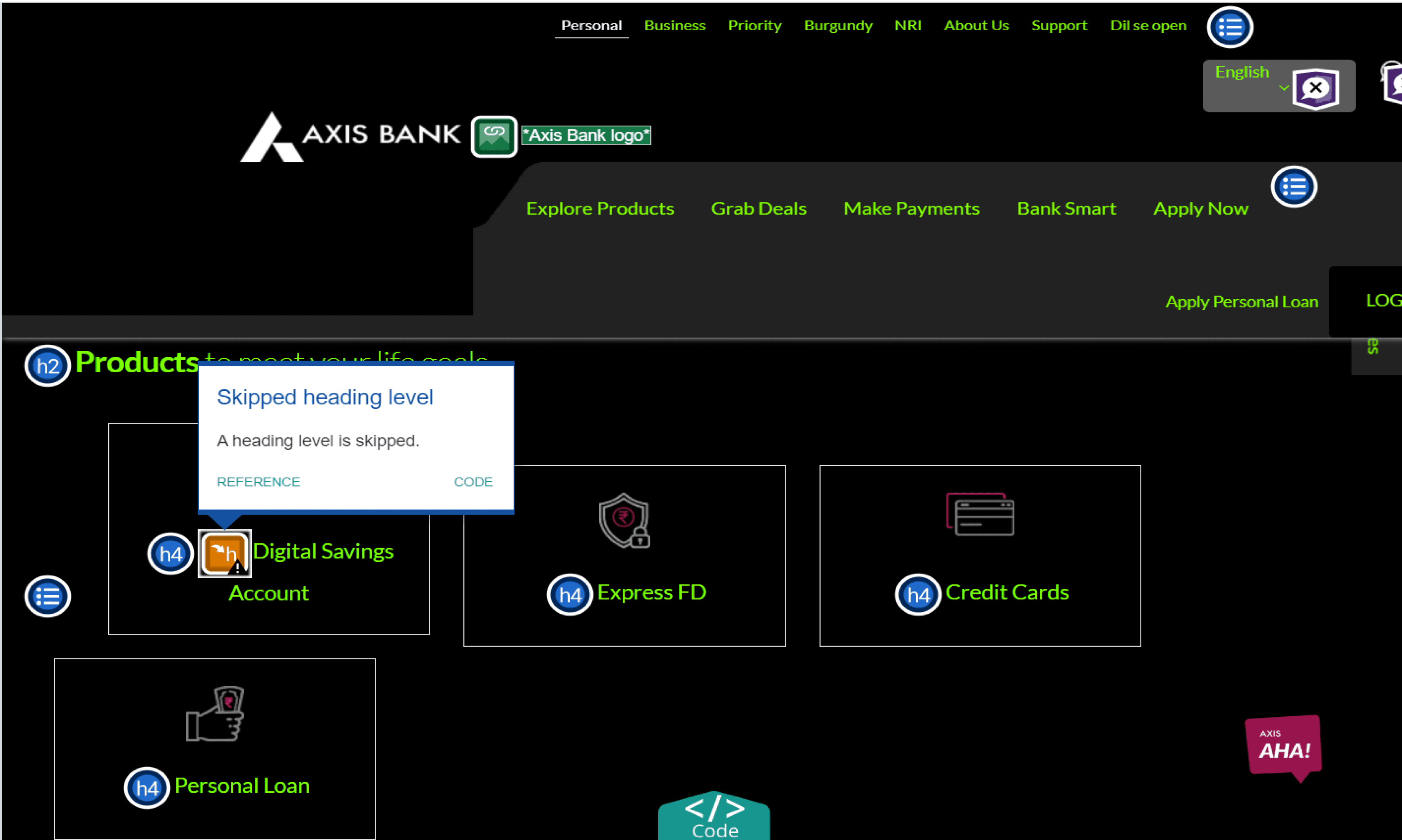
Skipped Heading Level
A heading level is skipped and it may cause confusion for the users and also hamper accessibility
Ensuring proper heading structure
Use of heading tags (<h1> to <h6>) in a hierarchical manner provide a clear and structured content outline. This helps users navigate the page and understand the information hierarchy.

Nearby image has same alternative text
Two images near each other have the same alternate text and this affects the accessibility of the website

Provide text alternatives for images
Always include descriptive alt attributes for images. This helps screen readers understand the image content and provides context to users who cannot see the image.

Home Page
Users cannot read the text easily as there is contrast issue between text and background colour

Like in accessibleBe users can read the text easily as there is a contrast between the text and background colour

Coventry Building Society also enables users to change the contrast types into Light, dark and Invert contrast types

Buttons
CTA’S are kept in pink colour which might result in visibility issue for users

Like in Condor Hotel the CTA is clearly visible as the contrast is high

Coventry Building Society also provides invert colors option to improve visibility for users

Icons have pink color which may cause visibility issues for users and also the icon color is not consistent throughout the website


Like in accessible the icons have consistent style and color throughout the entire website maintaining clear visibility

Coventry Building Society also uses icon colours that are easily visible

Notifications and Navigation
The notification panel and Mega navigation for Business section are inconsistent with respect to the entire website


The Text Magnifier feature helps users to clearly read texts written on the website


Let's connect to explore how can i add value to your team
"Your vision, my design – let’s create something exceptional together."